Lives Play Basics
Chartroom re-engineers the way eliminatory play is managed.
Lives play charts are built up one round at a time by sorting the field into the new playing order. Winners are sorted up while losers are sorted down.
At any convenient point the survivors can be merged together to create new charts.
Initialising Lives Play
From an Entries sheet (Web browser only)
- Set up Lives policy in the Settings sidebar.
- From the Entries section of the menu go Initialise lives play.
- Chartroom creates a new sheet deriving the name from the Entries sheet.
From a Pool play sheet
- Set up or review Lives policy in the Settings sidebar.
- Verify that all teams to qualify are marked with a Q in the Q column.
- From the Lives play section of the menu go Initialise qualifiers above, or shortcode
)iq. - Chartroom creates Lives play sections above the Pool play.
For specialised events Lives play can also be Initialised right or Initialised as separate events. More on those later.
Example Knockout Play
Here is the NZIB Henselite Singles 2016. This is 1-life knockout play with 14 qualifiers from pool play into the main event, and the non-qualifiers into a plate event.
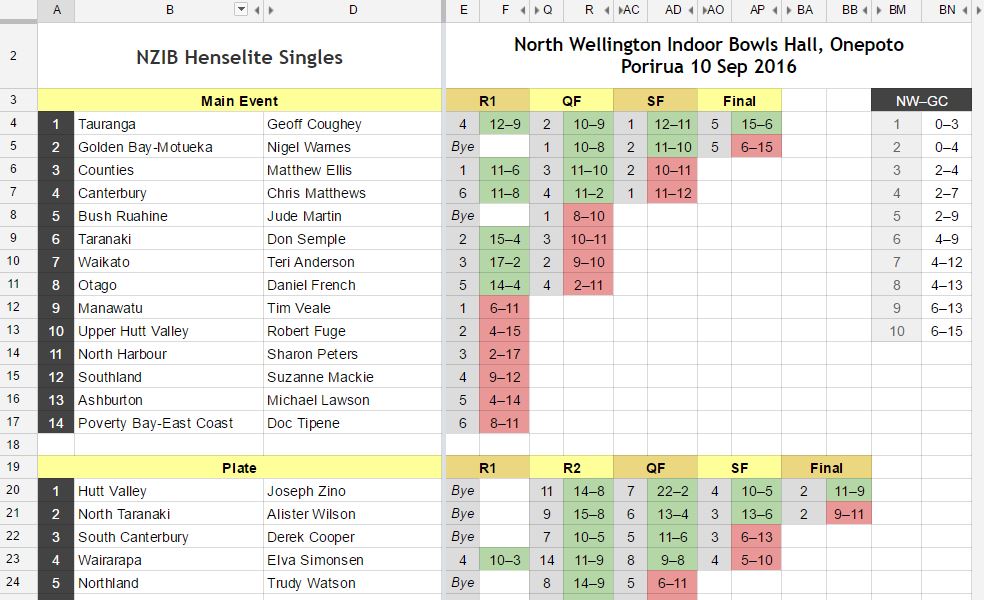
Binary byes are standard practice in knockout play, but non-binary knockout play is also possible.
Binary byes are allocated in round 1 to reduce the field to a power of 2.
Lives play can also be initialised with 2 or 3 lives. Binary byes do not apply, and byes can occur throughout the event. Chartroom manages byes automatically using its own rules.
Here is how the Henselite Singles looked after round 1.
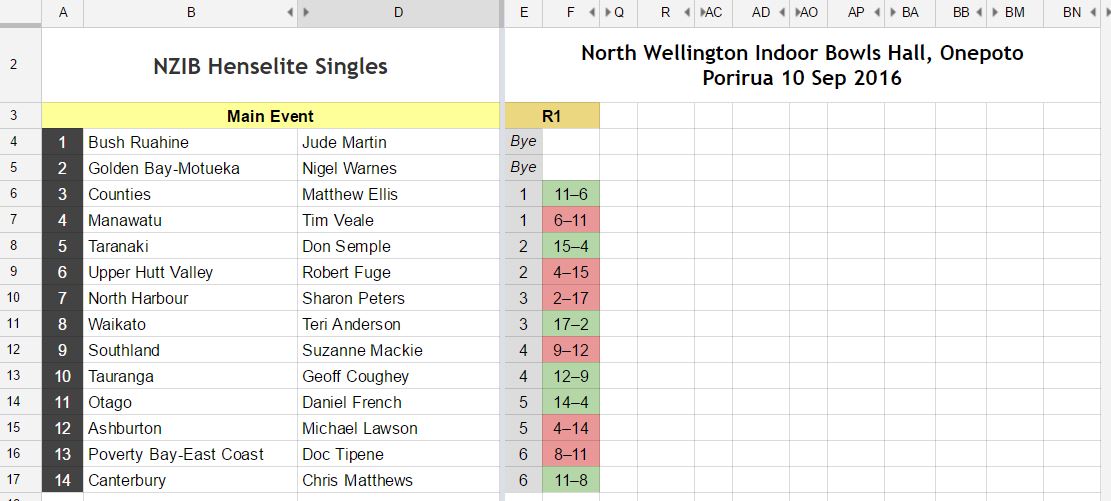
A lives play chart is advanced to the next round section by section. After entering all scores for round 1 click anywhere in the body of the section and run the job Advance section, or enter the shortcode )*.

Winners are sorted up, losers are sorted down. In a 2-life event losing 2-lifers are sorted below winning 1-lifers. Losing 1-lifers are eliminated.
You can change the game (rink or mat) numbers in the grey columns if you wish, but don't change who plays who or who gets the bye (that would be chaos). Also don't change the grey background or copy it elsewhere in the sheet.
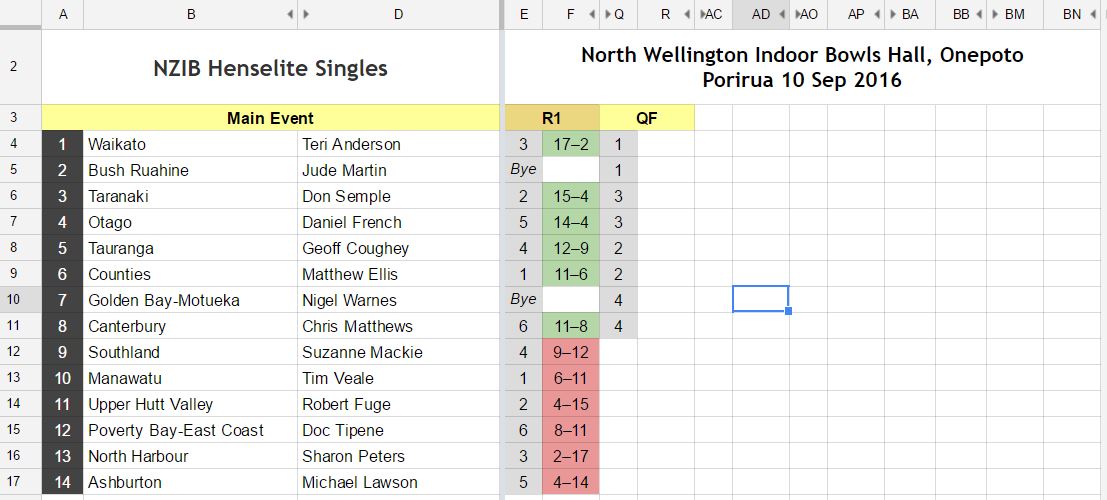
Lives play can also be conducted with a random shuffle between rounds so anyone can play anyone. Here's how that might look:
Merge Survivors
There will come a time when you want to create a consolidated section at the top containing only the surviving players or teams.
Score the current round (do not Advance the sections) and go Merge Survivors, or shortcode )mg.
Chartroom creates one or more sections at the top.

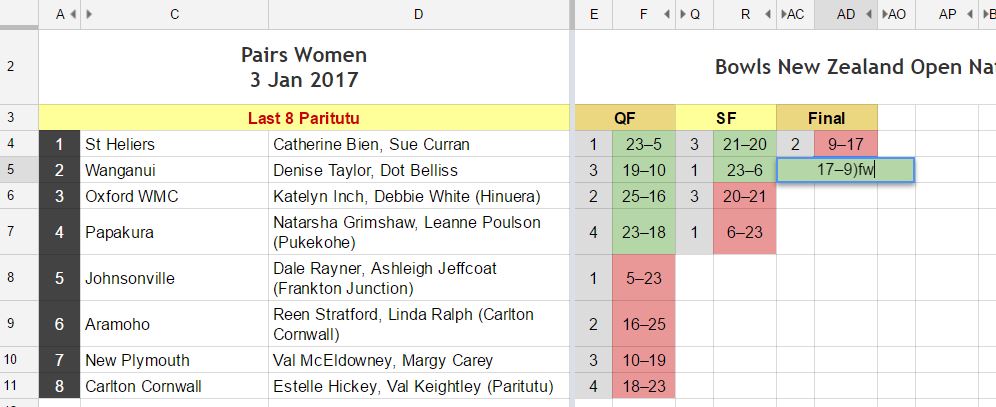
Float Winner
Often the winner will be in the no. 2 position.
To correct this click on any cell in that row and go Float Winner, or enter or append the shortcode )fw.
Initialising Selected Right (of Pool Play)
For certain events it is more convenient to initialise lives play to the right of pool play rather than above.
A good example is the snooker Championship League played in groups of 7 with the top in each group 4 playing off in semi-finals and final. For the semi-finals 1 plays 4, and 2 plays 3, so we sort the top 4 into the correct order first.
Ensure lives policy has shuffle set to false, then we select the top 4 and go Initialise selected right or use the shortcode )isr4.
Shortcode
)spis Sort pool by column A,)asis Advance section.